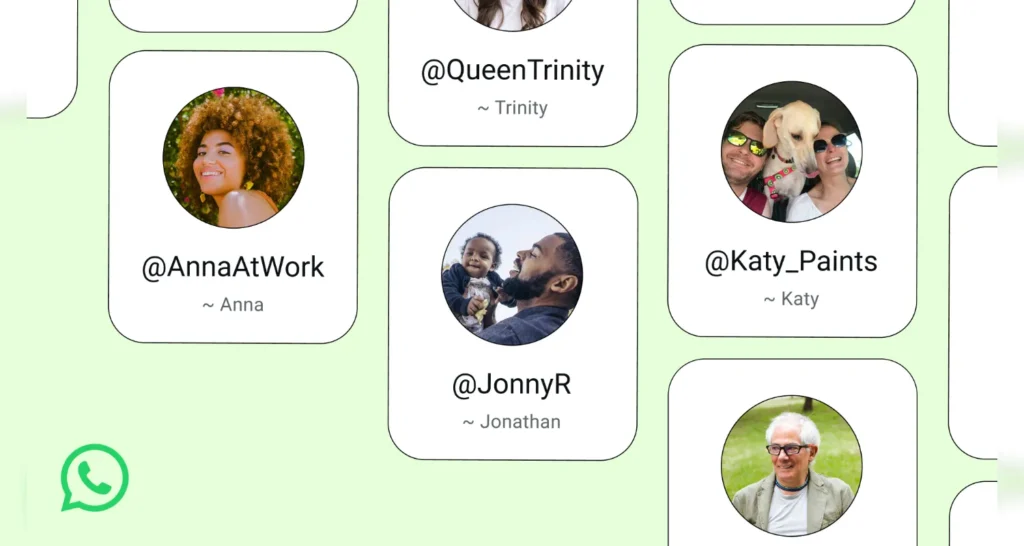
WhatsApp is finally letting you chat without sharing your phone number. Meta has started opening WhatsApp username reservations ahead of a full launch later in 2026 — and because names are first-come, first-served across more than three billion users, reserving yours early matters. Here’s exactly how to do it in Nepal, and what the new privacy features mean for you.
Quick summary
- WhatsApp usernames let people message you without seeing your phone number.
- You can reserve your username now; the feature rolls out gradually over the coming months.
- Reserve it in the app: Settings → Account → Username.
- There’s no public directory — people need your exact username to reach you.
- An optional username key adds a second layer so strangers can’t message you.
What is a WhatsApp username?
Until now, everything on WhatsApp was tied to your phone number. To add someone — a classmate, a new customer, a member of your tole or office group — you had to exchange numbers first. A phone number is deeply personal in Nepal: it’s linked to your eSewa, Khalti, bank OTPs, Facebook and more, so handing it to a stranger can feel risky.
A WhatsApp username is a unique name (something like @yourname) that people can use to start a chat with you instead of your number. Once the feature launches and you switch it on, the person you message for the first time will no longer see your phone number — only your username.
Why reserve your WhatsApp username early?
With over three billion people on WhatsApp worldwide, common names and handles will disappear fast. Meta opened reservations early precisely so everyone gets a fair chance to grab the name that matters to them. If your name, brand or business handle is important to you, reserving now is the safest way to make sure someone else doesn’t take it first — the same lesson Nepali creators learned with Instagram and TikTok handles.
How to reserve your WhatsApp username (step by step)
- Update WhatsApp to the latest version from the Google Play Store or Apple App Store.
- Open WhatsApp and go to Settings.
- Tap Account.
- Tap Username.
- Type the username you want and check that it’s available.
- Confirm to reserve it — it takes just a few seconds.
Don’t see the option yet? It’s rolling out gradually. Keep the app updated and check back — WhatsApp will notify you in-app when usernames go live in Nepal.
The new “username key” — extra privacy
Usernames are designed to make WhatsApp more private, not less. There is no directory to browse and no suggestions, so people can only reach you if they know your exact username. On top of that, WhatsApp has built an optional username key — an extra code that someone must also know before they can message you for the first time. If you want tight control over who can contact you, turn the username key on.
Creators & businesses: claim your existing handle
If you’re a creator, freelancer, small shop or organisation, staying consistent across platforms helps customers find and trust you. WhatsApp has reserved an option to claim the username you already use on Instagram or Facebook, so your WhatsApp handle can match your other Meta accounts. For Nepali online sellers, tuition providers, and page admins who run their business through WhatsApp, this keeps your brand recognisable everywhere.
What WhatsApp usernames mean for people in Nepal
This is a big deal for how Nepalis actually use WhatsApp:
- Buying & selling online: Contact a seller on Hamrobazar or a Facebook Marketplace listing without exposing your personal number to strangers.
- Freelancers & remote workers: Share a professional handle with international clients instead of a +977 number.
- Students & new groups: Join a class, hostel or coaching group chat without giving your number to people you’ve just met.
- Creators & small businesses: Put a clean
@handleon your bio, poster or thumbnail so customers can message you directly. - Everyday safety: Fewer people holding your number means fewer spam calls, scam messages and unwanted contacts.
Tips for choosing a good username
- Keep it simple and memorable — easy to say out loud and type.
- Match your other handles (Instagram, Facebook, TikTok) for a consistent brand.
- Avoid sharing it publicly if you want privacy — give it only to people you actually want to hear from.
- Stuck? WhatsApp offers a built-in username generator to suggest one for you.
When will WhatsApp usernames go live in Nepal?
Meta announced usernames on 29 June 2026 and began opening reservations straight away, with the full feature rolling out gradually “over the coming months.” WhatsApp says it will notify you inside the app when usernames are available in your country, so Nepal will get access as part of that phased global rollout. The smart move is to reserve your username now so it’s ready the moment the feature switches on for you.
Frequently asked questions
Is the WhatsApp username free?
Yes. Reserving and using a WhatsApp username is a free feature within the app.
Will people still see my phone number?
Once usernames launch and you enable yours, someone you message for the first time will see your username instead of your phone number. Existing contacts who already have your number are unaffected.
Can I reserve a WhatsApp username in Nepal right now?
Reservations are rolling out gradually. Update to the latest version of WhatsApp and check Settings → Account → Username. If it isn’t there yet, it will appear as the rollout reaches Nepal.
Can I use my Instagram or Facebook username on WhatsApp?
Meta has reserved an option for creators, businesses and organisations to claim their existing Instagram or Facebook username on WhatsApp, helping keep your handle consistent across apps.
What is the username key?
It’s an optional extra code that someone must know — in addition to your username — before they can message you for the first time, giving you more control over who can reach you.
Do I have to use a username?
No. Usernames are optional. You can keep using WhatsApp exactly as before if you prefer.
Source: Meta Newsroom, “It’s Time to Reserve Your WhatsApp Username” (29 June 2026) — about.fb.com. Details on claiming an existing handle: WhatsApp Help Center.